Mocking Date
Storybook addon that mocks the JavaScript Date for individual stories.
Storybook Addon Mocking Date
A Storybook addon that mocks the JavaScript Date for individual stories using @sinonjs/fake-timers. Useful for components that read the current date or time and need deterministic snapshots, visual regression tests, or coverage of time-sensitive UI such as relative timestamps and seasonal greetings.
Requirements
- Storybook
^10.0.0 - Renderer-agnostic — the addon ships a preview decorator that works with any Storybook framework (React, Vue, Svelte, etc.)
Installation
First, install the package.
npm install --save-dev storybook-addon-mock-date
Then, register it as an addon in .storybook/main.ts.
// .storybook/main.ts

// Replace your-framework with the framework you are using (e.g., react-vite, vue3-vite)
import type { StorybookConfig } from '@storybook/your-framework';

const config: StorybookConfig = {
  // ...rest of config
  addons: [
    'storybook-addon-mock-date', // 👈 register the addon here
  ],
};

export default config;
Usage
Pass a Date, a millisecond timestamp, or an ISO 8601 string via the mockingDate parameter at the story, meta, or preview level. Storybook merges parameters with the most specific value winning, so the precedence is story > meta > preview.
// Button.stories.ts

// Replace your-framework with the name of your framework
import type { Meta, StoryObj } from '@storybook/your-framework';

import { Button } from './Button';

const meta: Meta<typeof Button> = {
  component: Button,
  parameters: {
    mockingDate: new Date(2024, 3, 1),
  },
};

export default meta;

type Story = StoryObj<typeof meta>;

export const AddParametersAtStory: Story = {
  parameters: {
    mockingDate: new Date(2023, 6, 1),
  },
};

export const AddParametersAtMeta: Story = {};
// .storybook/preview.ts

// Replace your-renderer with the name of your renderer
import type { Preview } from '@storybook/your-renderer';

const preview: Preview = {
  parameters: {
    mockingDate: new Date(2024, 0, 1),
  },
};

export default preview;
A story whose merged mockingDate is undefined reverts the system clock to the moment the preview iframe loaded, so subsequent stories continue to see a deterministic value rather than continuing to drift forward.
Toolbar override
The addon registers a clock icon in the Storybook toolbar. Clicking it opens a popover with a datetime-local input and a Reset to real time button.
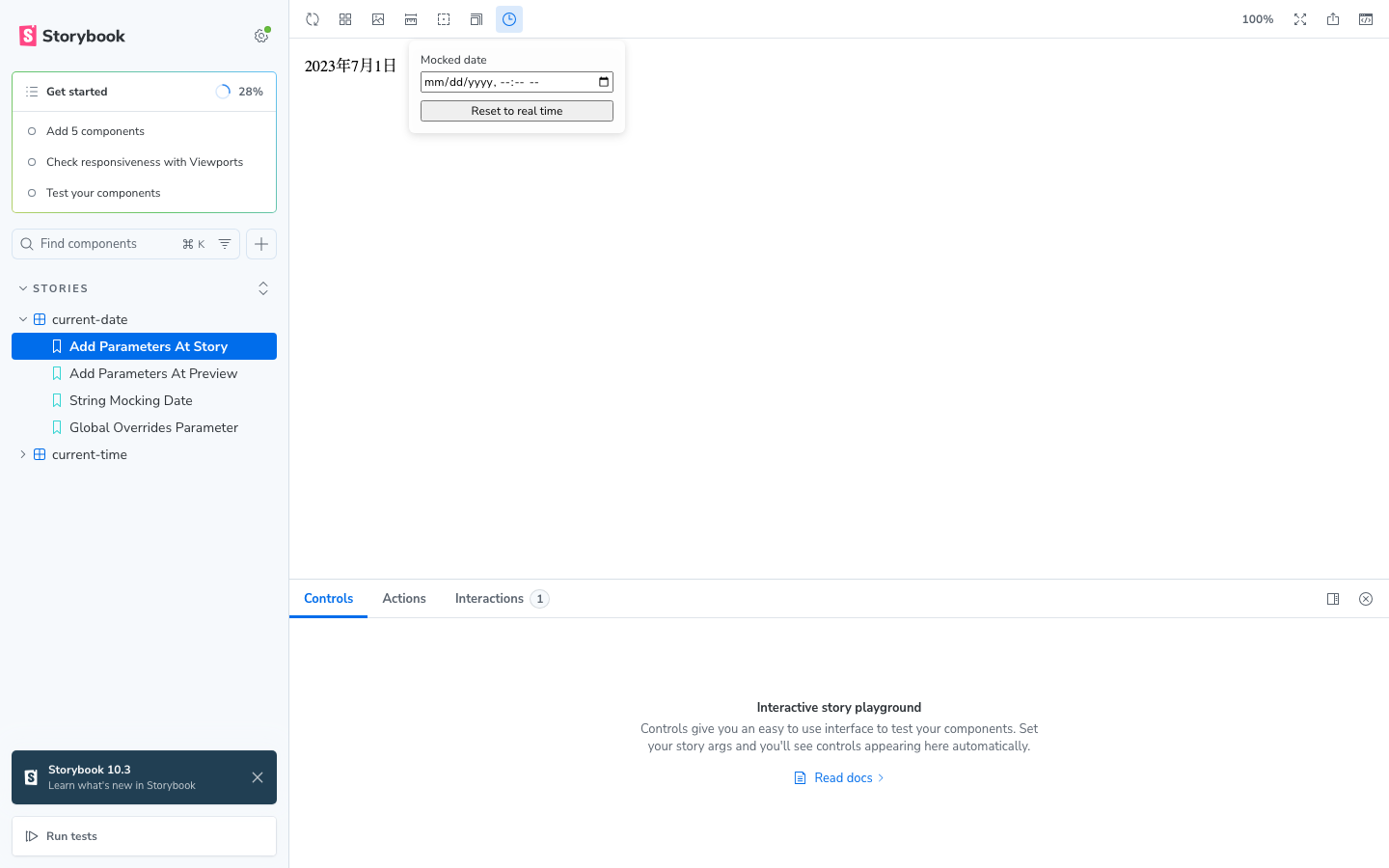
Picking a date stores it in globals.mockingDate and applies the mock immediately to every story you visit, regardless of what parameters.mockingDate is set to. Press Reset to real time (or clear the input) to drop the override and fall back to the parameter-based mocking.
The full precedence with the toolbar in play is toolbar (globals) > story > meta > preview. So a story with its own parameters.mockingDate only shows that date until the toolbar override is engaged.
This is intended for ad-hoc exploration — checking how a "happy birthday" banner looks on the actual day, walking through the same story across a year, etc. — without editing source files. Permanent mocking should still go through parameters.mockingDate so the value lives in version control.
Disabling the toolbar (decorator-only mode)
If you want the date mocking but don't want the clock icon in the toolbar, register the preview entry directly in .storybook/preview.ts instead of listing the addon in .storybook/main.ts:
// .storybook/preview.ts
import type { Preview } from '@storybook/your-renderer';
import mockDate from 'storybook-addon-mock-date/preview';

const preview: Preview = {
  ...mockDate,
  parameters: {
    mockingDate: new Date(2024, 0, 1),
  },
};

export default preview;
// .storybook/main.ts
const config: StorybookConfig = {
  // 'storybook-addon-mock-date' is intentionally not listed here
  addons: [
    /* ... */
  ],
};
The decorator runs the same way; only the toolbar manager bundle is skipped.
What gets mocked
Only the Date constructor and its static methods (Date.now, Date.parse, etc.) are replaced. setTimeout, setInterval, requestAnimationFrame, and the rest of the timer APIs continue to use the host clock unchanged.
